How to Add ZATCA-Compliant Customers in Invent ERP?
Before creating invoices in Saudi Arabia, ensure that your customer records are properly configured in accordance with ZATCA e-invoicing requirements.
Step-by-Step Process
Step 1: Open the CRM Module
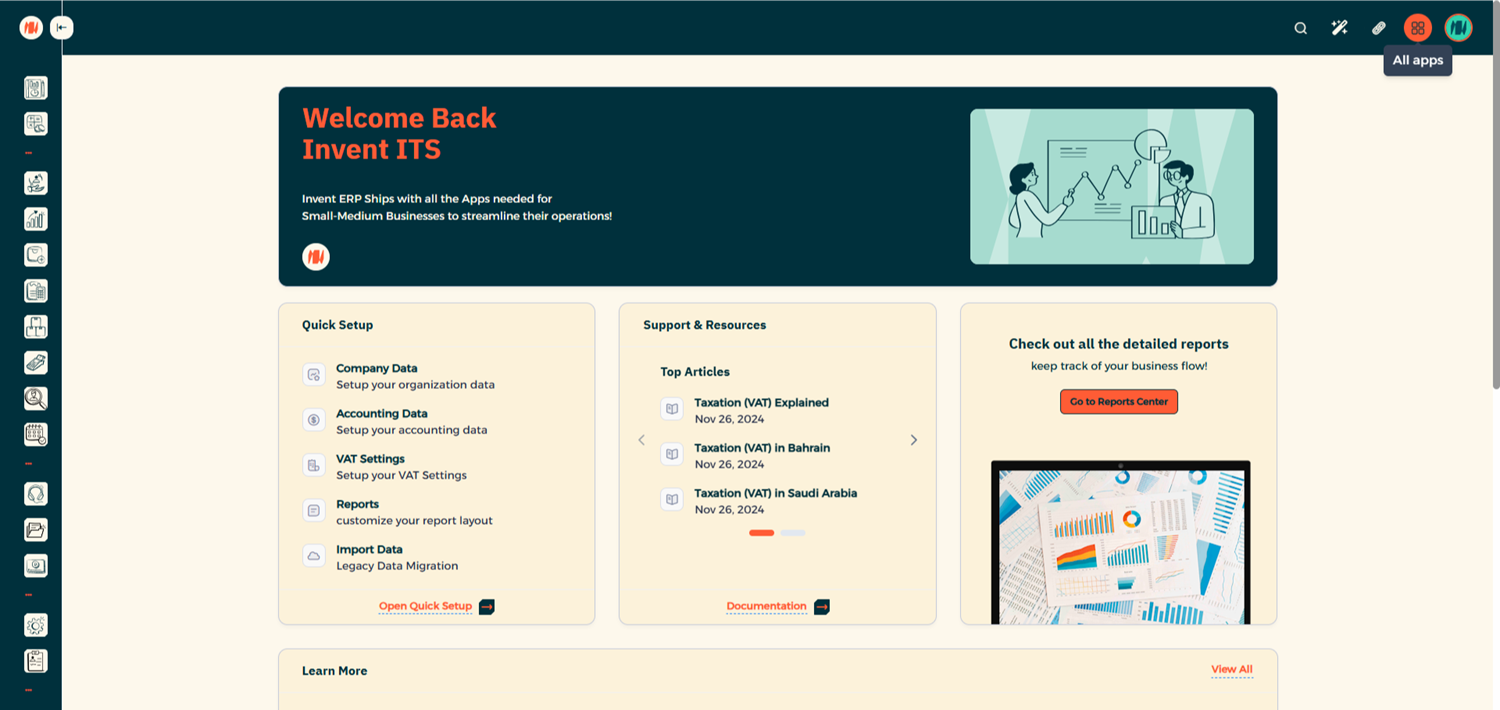
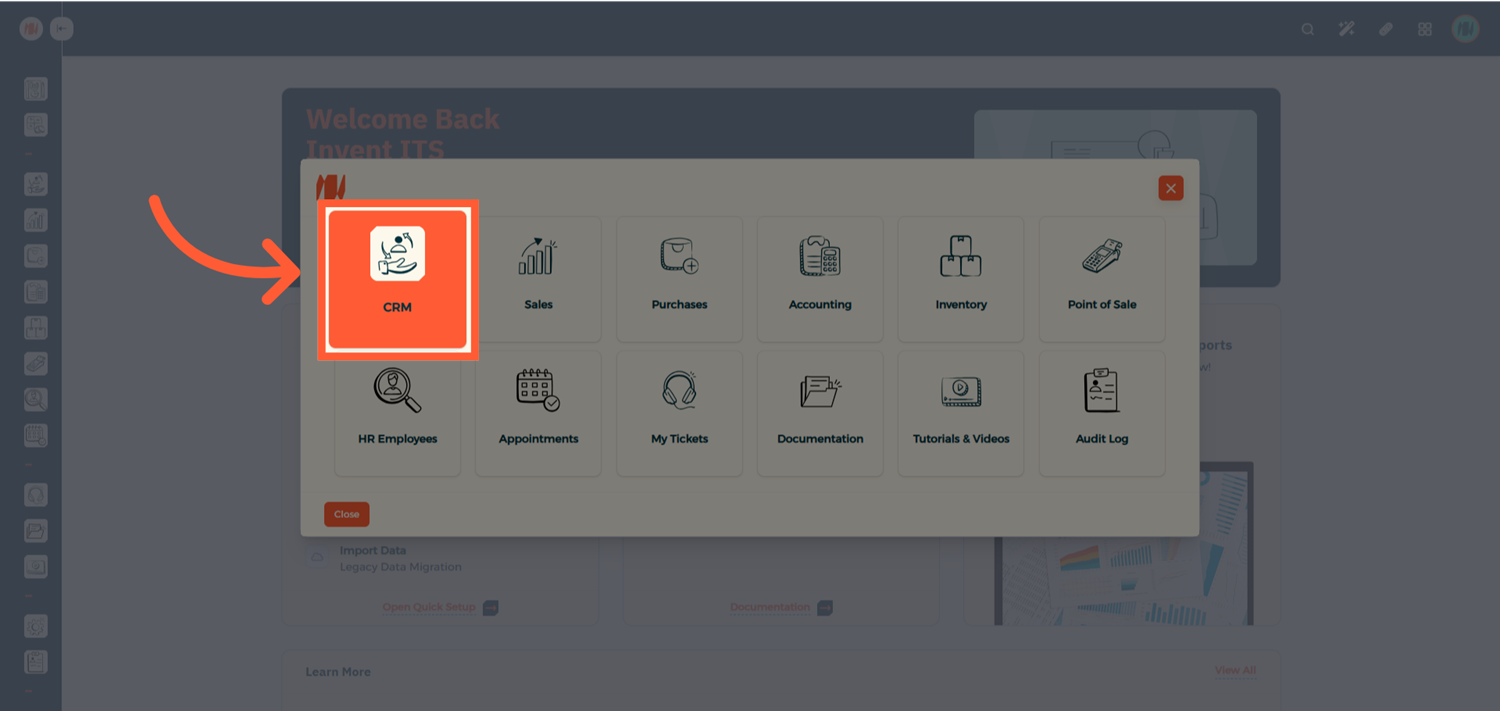
From All Apps, navigate to CRM.
Step 2: Create a New Customer
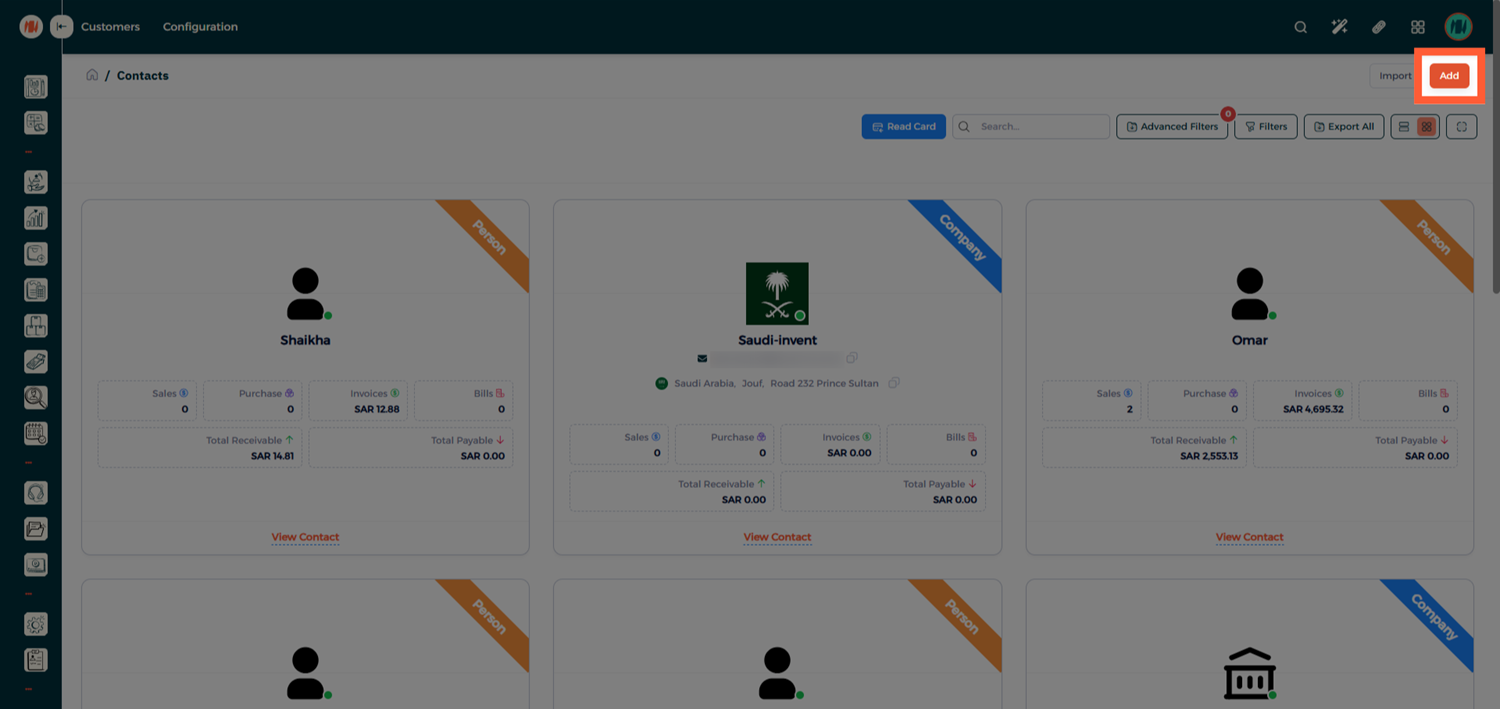
From the Customers List, click Add to add a new customer.
Adding an Individual Customer
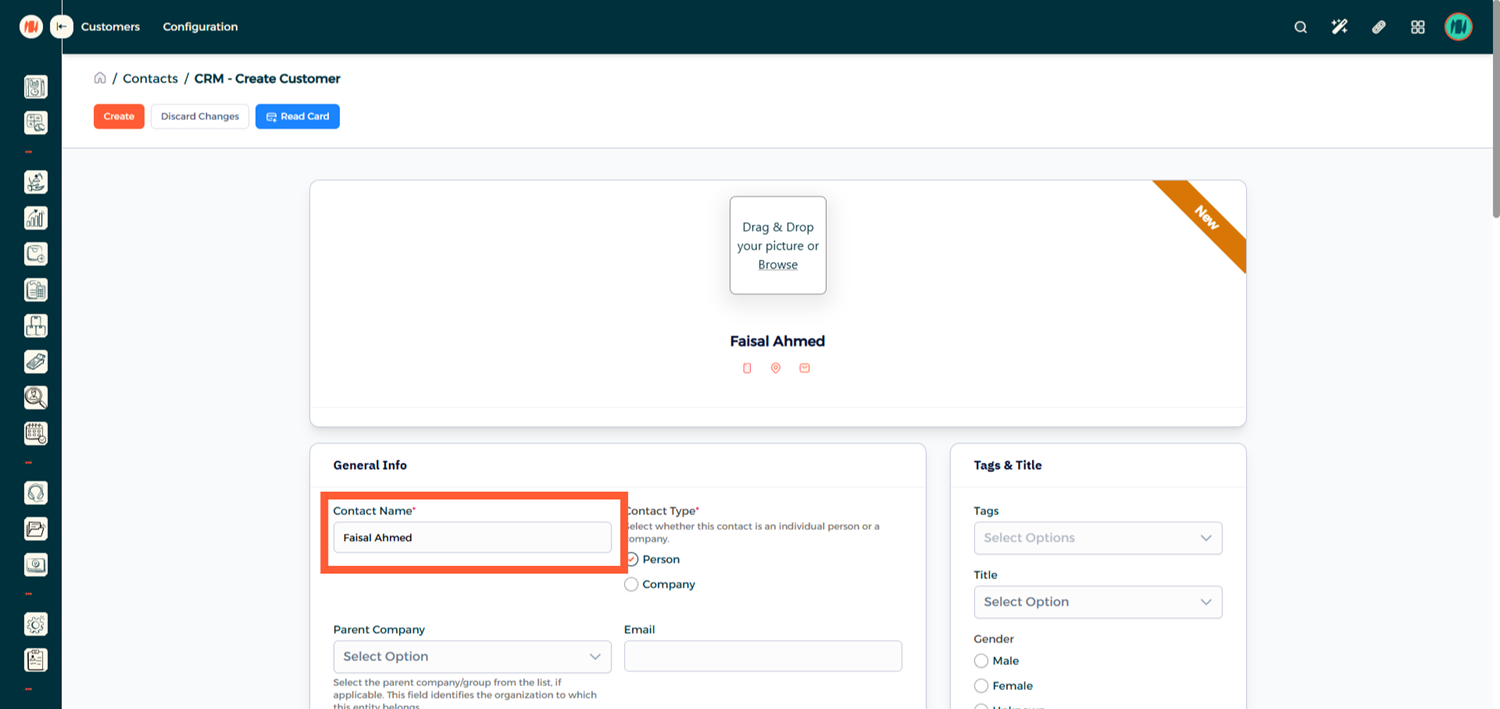
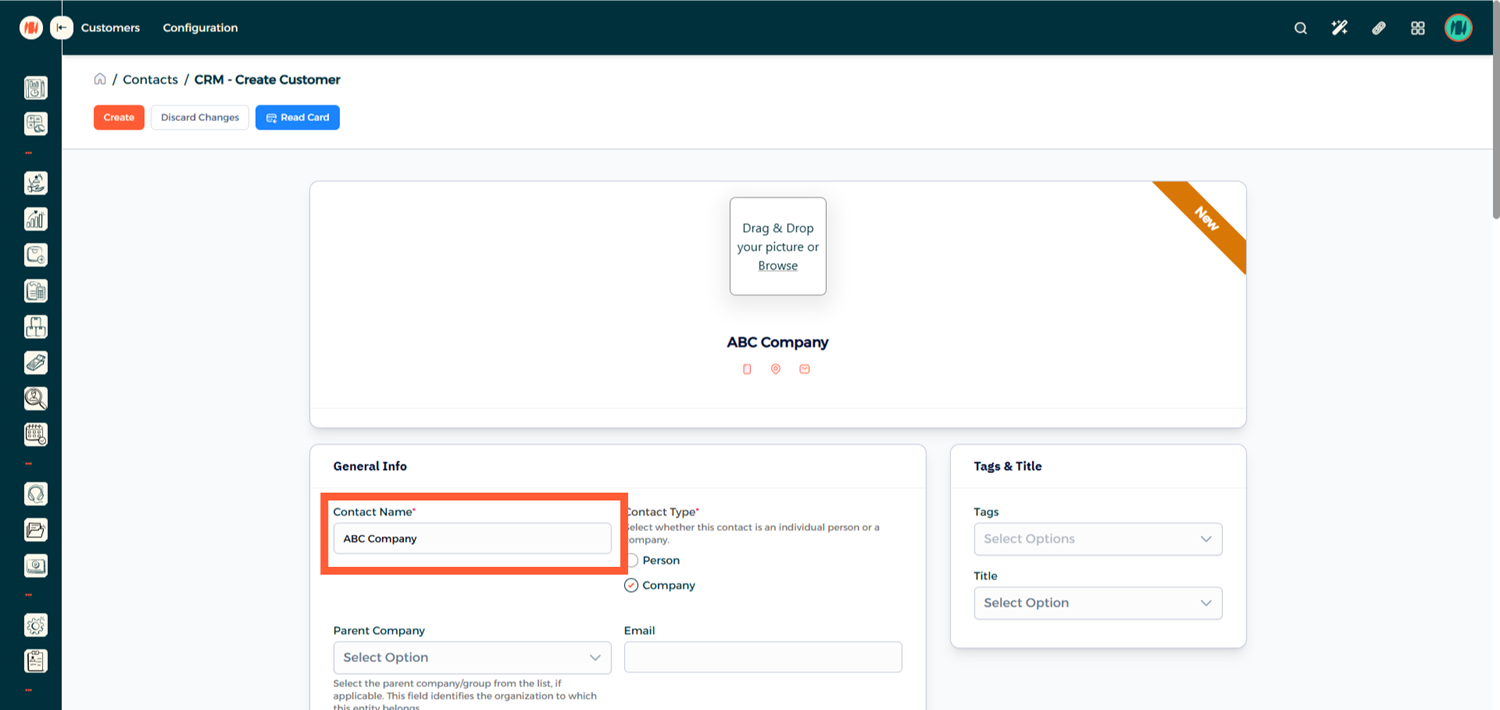
The most important requirement for ZATCA compliance is ensuring the customer's full and accurate name is entered.
Adding a Company Customer
Additional details are required for company customers:
- Official Company Name
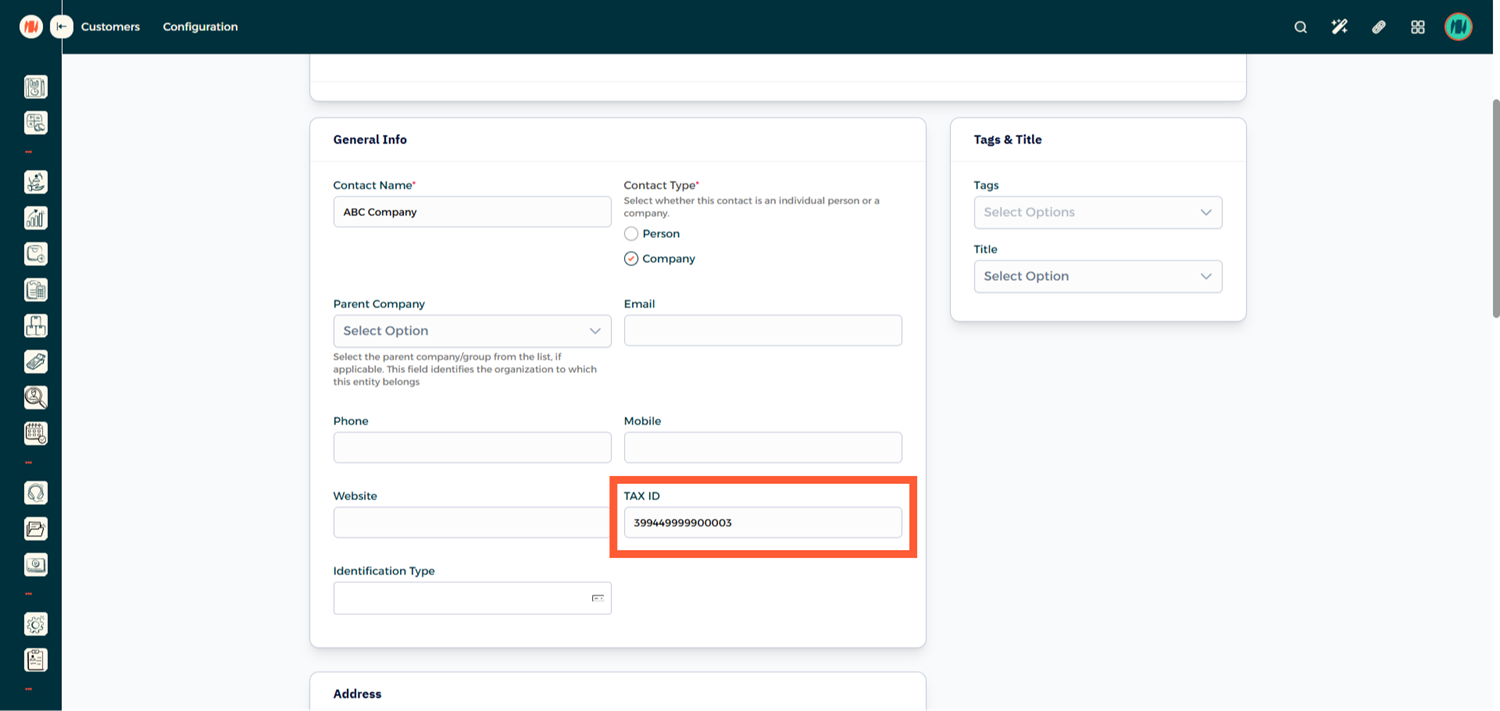
- Tax Identification Number
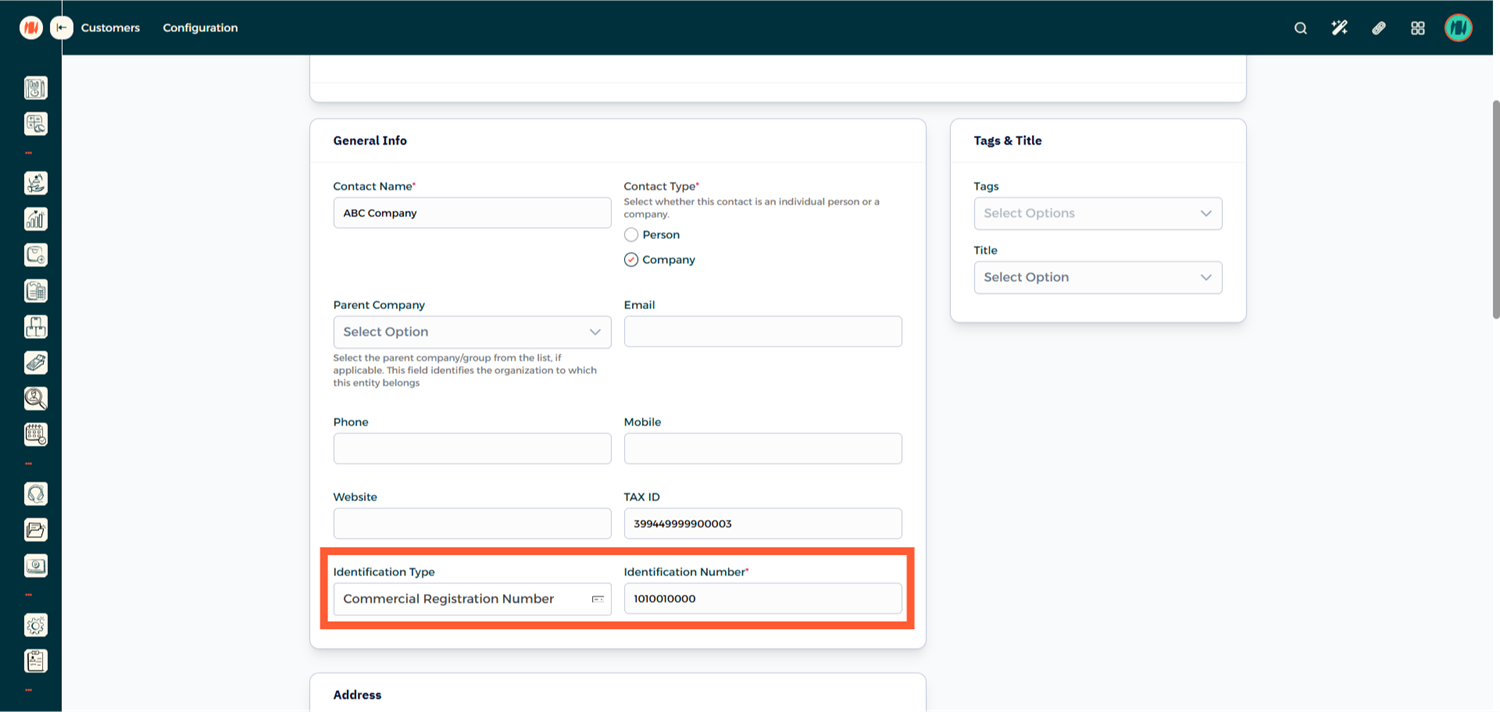
- Identification Type: Commercial Registration Number (+ CR Number)
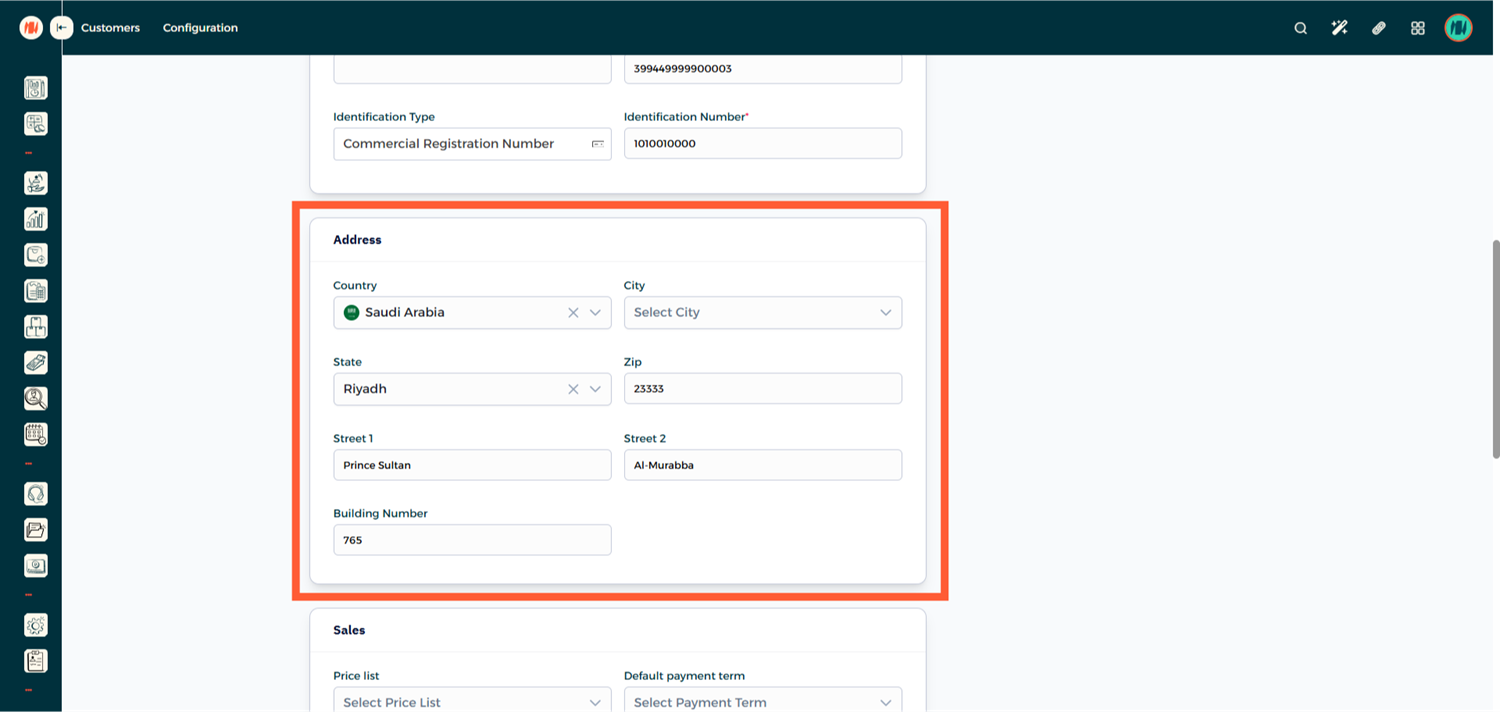
- Complete Address:
- Country
- State / Region
- ZIP Code (Postal Code)
- Street 1
- Street 2 (District Name)
- Building Number
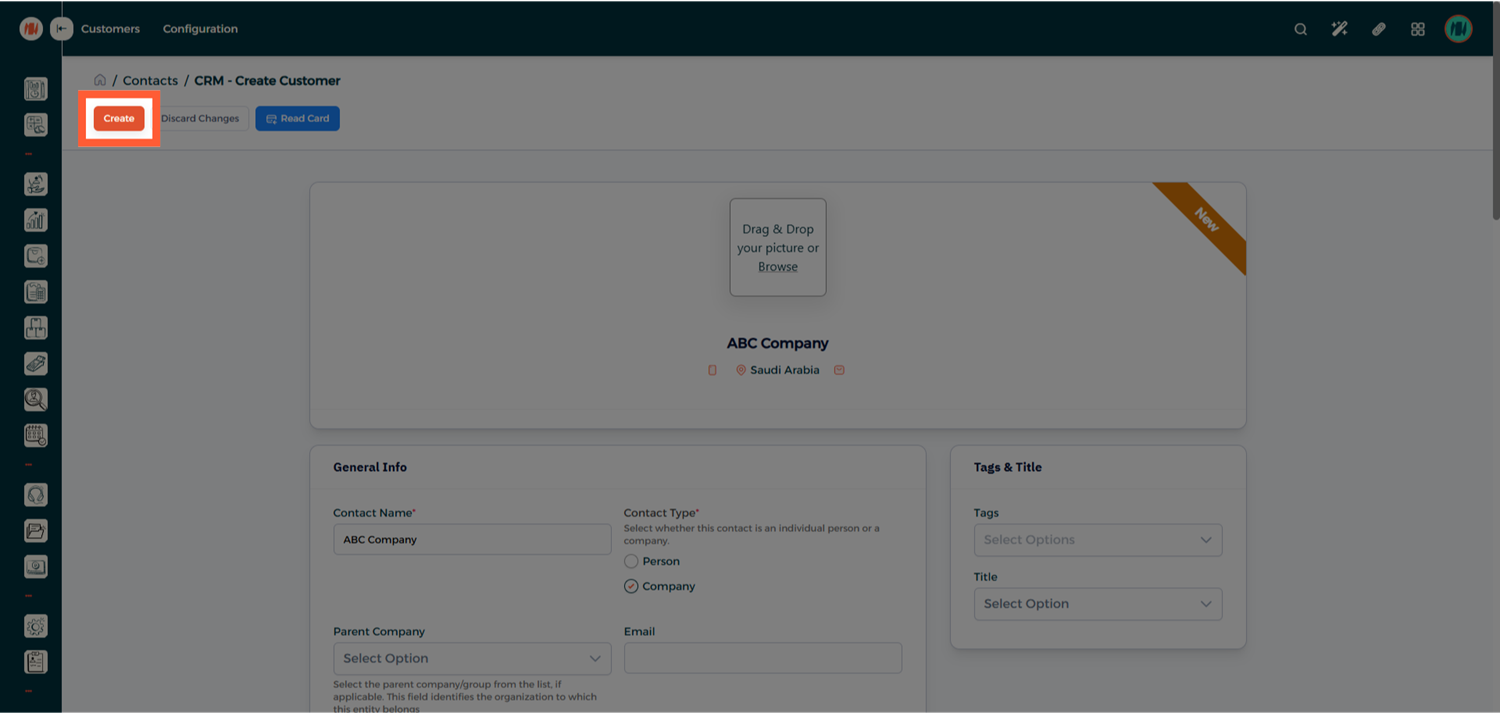
Step 3: Save the Customer
Click Create to save the customer record.
Notes & Tips
- Always enter the official company name exactly as registered.
- A complete address is required for company customers.
- Individual customers generally require fewer fields, but their name must always be accurate.